
How to Download Files from Pan Quark Without an Account
Published date: October 14, 2025
Pan Quark can be difficult to use outside China if you do not have a Quark account, Chinese phone number, or access to the Chinese desktop client. This guide explains how to submit a Pan Quark share link through QuarkDownloader and receive a direct download link by email.
1. Provide your link details
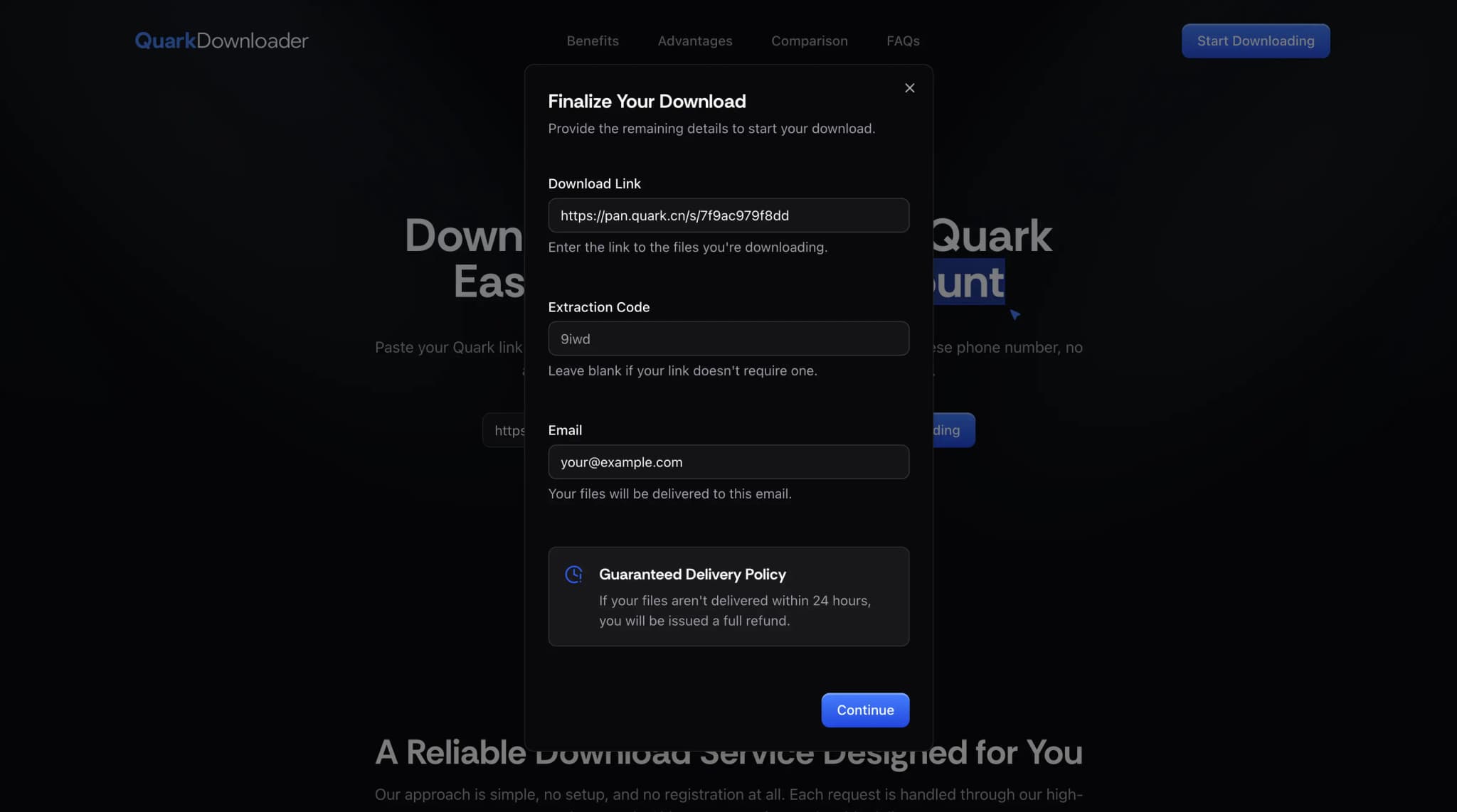
Visit QuarkDownloader.com and click the "Start Downloading" button. Enter your Pan Quark share link, include the extraction code if the share requires one, and enter the email address where you want to receive the delivery link.
2. Confirm file size and price
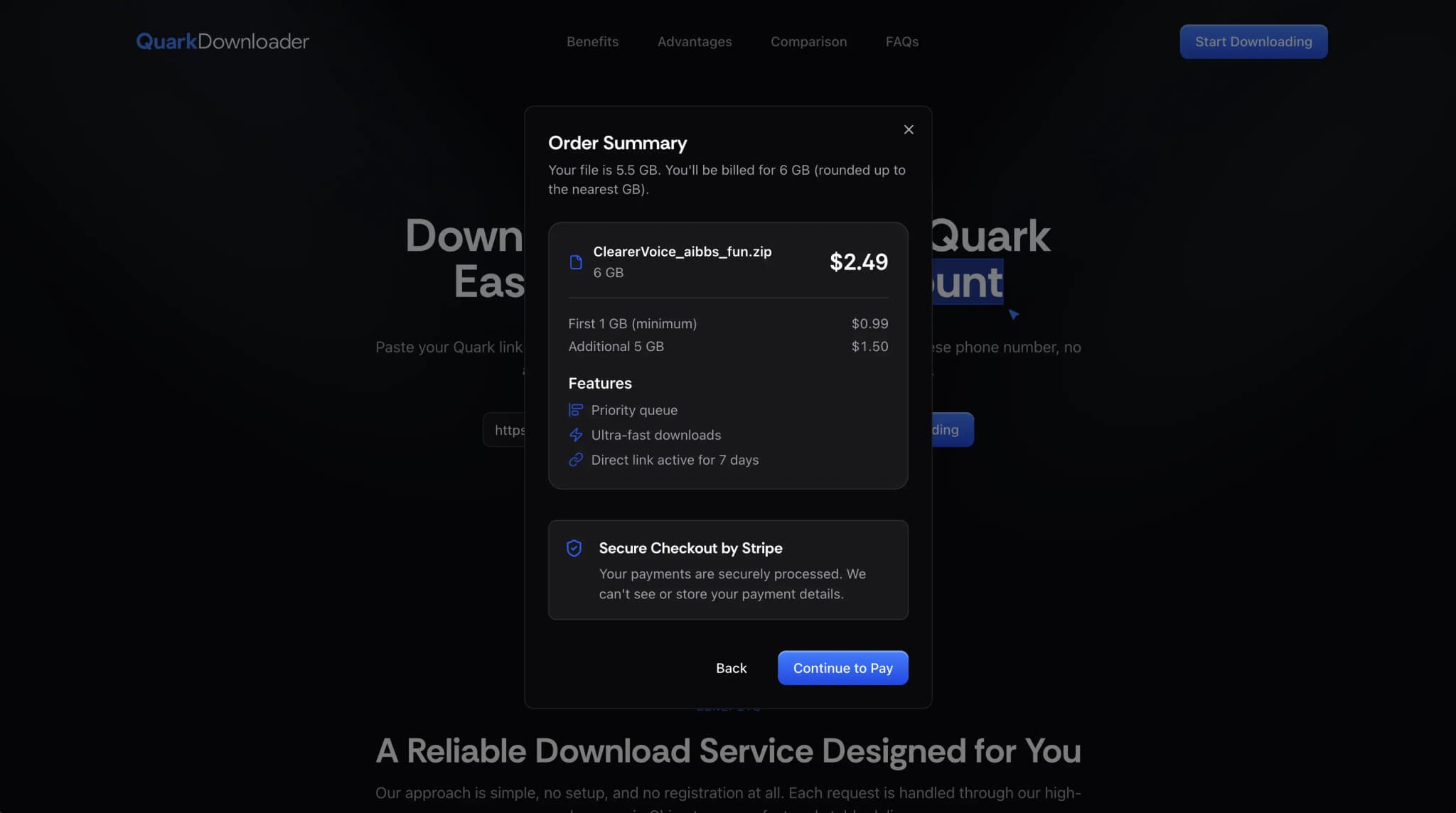
Pricing starts at $0.99 for the first GB, then $0.30 for each additional GB. Before checkout, we automatically confirm the file size and file count from the Pan Quark share so the final price is based on the actual contents of the link.
3. Complete payment
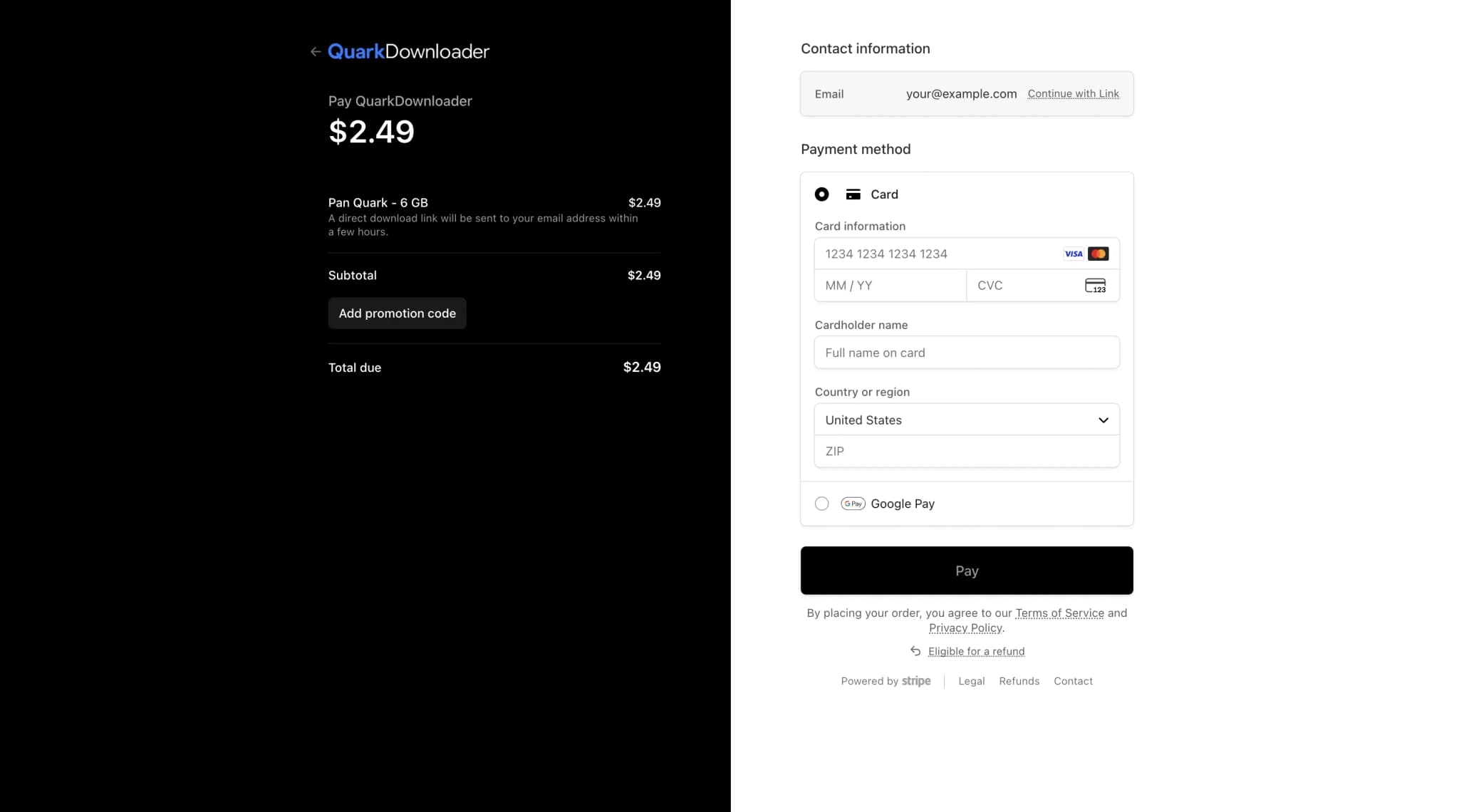
After you confirm the file size and price, complete payment on the secure checkout page. Payments are processed by Stripe, and your payment details are not stored on our servers.
4. Wait while we process your files
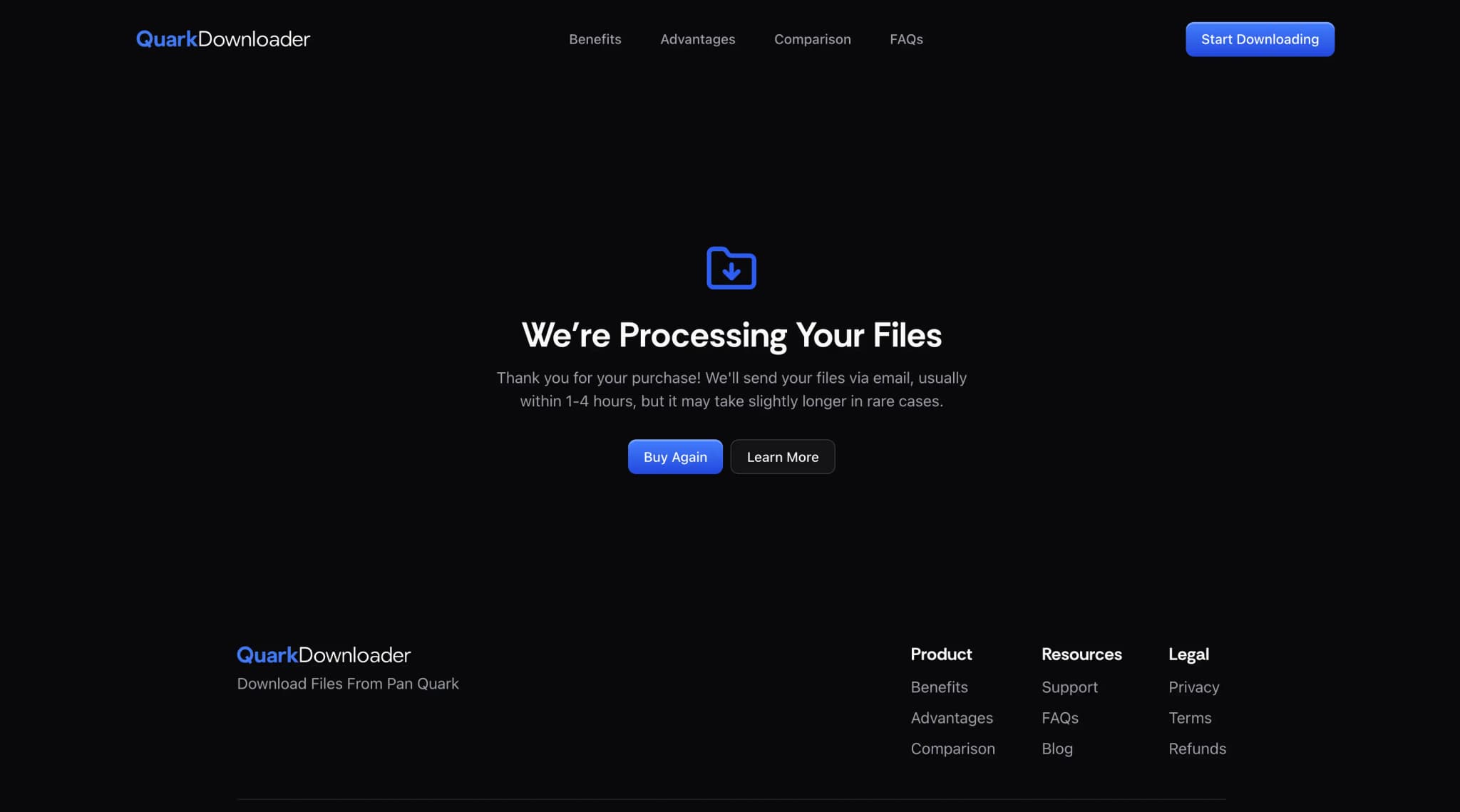
After payment, we retrieve the files from Pan Quark and move them onto our own delivery servers. Then we prepare your download link. Processing time depends on the total file size, the number of individual files, and current demand.
5. Receive the delivery link by email
Once processing is complete, we email you a direct delivery link that stays active for 7 days. Your files are served through a global CDN for fast, reliable downloads from many locations. Actual download speed can still vary by your location, internet provider, routing, and local network conditions.
If you cannot find the delivery email, check your spam or junk folder first. If it still is not there, contact our support team with your receipt so we can locate your order.